

Updated for 2026.
Pasadena businesses often face challenges when selecting Azure providers. This article compares local and national options, provides pricing context, and offers a clear process for evaluating services, enabling informed decisions before engaging with providers.
Quick Comparison: Azure Hosting Providers Serving Pasadena
| Provider | Local On-Site in Pasadena | Best For | Typical Services Included | Support Hours / Responsiveness | Pricing Expectation |
|---|---|---|---|---|---|
| Alcala Consulting | Yes , Pasadena office | Pasadena SMBs needing hands-on migration + ongoing management | Migration, monitoring, cost optimization, security, multi-cloud support | Avg. response <15 min; 24/7 for critical issues | Quote-based; SMB migration typically $5,000–$15,000 |
| Progent | Yes , LA Metro incl. Pasadena | Flexible expert consulting without long-term contracts | On-site support, cloud strategy consulting, implementation | On-site + remote; contact for after-hours scope | Per-project or hourly consulting |
Fast take:
- Local providers (Alcala, Progent) offer on-site support and hands-on migrations in Pasadena.
- Budget for two separate costs: your Azure usage bill (to Microsoft) and your provider’s labor or management fee.
Pick the Right Provider Fast
| Scenario | Recommended Provider |
|---|---|
| Hands-on local support, Azure migration, ongoing cost and security management (physical presence important) | Alcala Consulting |
| On-demand consulting and on-site coverage across the LA Metro area (without long-term contracts) | Progent |
What “Azure Hosting” Includes
Before comparing quotes, understand what to expect. Providers may offer different services.
| Capability | Importance |
|---|---|
| Azure landing zone setup (subscriptions, networking, identity) | Must-Have |
| Security baseline (MFA, conditional access, logging) | Must-Have |
| Monitoring + alerting | Must-Have |
| Backup + disaster recovery plan | Must-Have |
| Cost management (budgets, tagging, right-sizing) | Must-Have |
| Patch/update management | Must-Have |
| Support model (hours, response targets, escalation path) | Must-Have |
| App modernization (containers, PaaS refactors) | Nice-to-Have |
| Database migration with near-zero downtime tooling | Nice-to-Have |
| DevOps pipelines and infrastructure-as-code | Nice-to-Have |
| Governance policies and compliance mapping | Nice-to-Have |
| End-user training + handoff | Nice-to-Have |
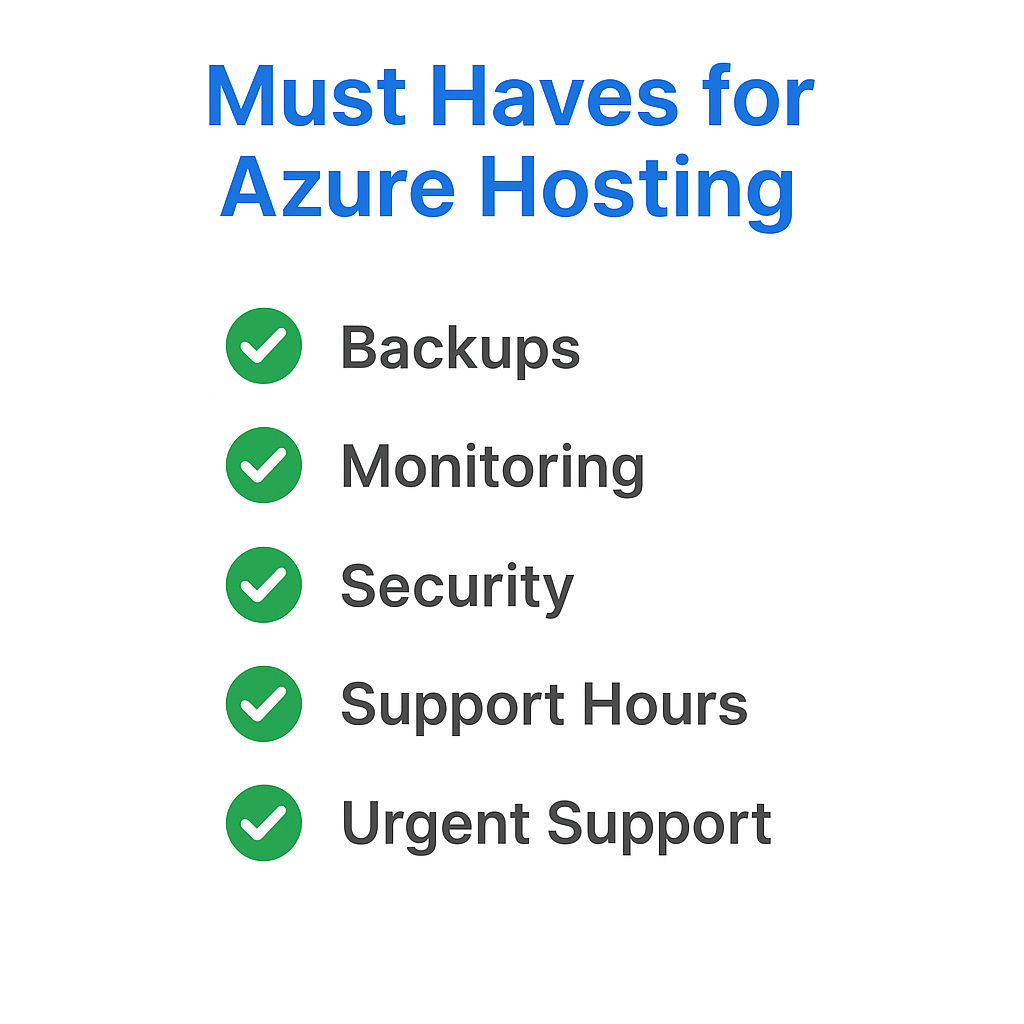
Must-haves: backups, monitoring, security basics, clear support hours, and urgent support. Confirm these in writing before signing any agreement. Cut corners here and you’ll feel it at 2 a.m.
Local Pasadena Providers: Detailed Breakdown
Alcala Consulting (Pasadena)
Why people pick them:
- Azure migration planning and execution, VMs, databases, and app modernization, designed to minimize disruption.
- On-site and remote help desk with an average response time under 15 minutes; 24/7 coverage for critical issues.
- Ongoing Azure management covering monitoring, cost optimization, security, and updates across Azure, AWS, and Google Cloud.
Best for: Pasadena SMBs that need on-site support, compliance-sensitive work in healthcare or education, and a long-term partner.
Watch-outs: Confirm what services are included in the monthly retainer versus billable hours. Verify after-hours coverage details in writing. Ask for Pasadena-specific SLA terms as they are not publicly available.
Questions to ask on your first call:
- What are your response time targets for non-critical tickets versus critical incidents?
- What are your on-site availability windows, and are there trip charges?
- Who owns the Azure subscription and billing access?
- How do you measure and report cost optimization each month?
- How are backups and DR tested, and how often?
Azure Cost Optimization Strategies and Reporting:
Alcala Consulting provides ongoing cost optimization for Azure. This includes:
- Auditing spending to identify unused services, over-provisioned resources, duplicate services, and inefficient configurations.
- Eliminating waste and optimizing licenses to achieve predictable costs and potential savings of 30–50%.
- Continuous performance monitoring and resource optimization.
- Designing architecture for efficiency during migrations.
Alcala Consulting’s monthly ongoing support includes 24/7 monitoring, cost optimization, security, and proactive maintenance, with plans starting around $600/month.
Backup and Disaster Recovery Testing:
Alcala Consulting references automated encrypted backups, recovery procedure testing, and backup verification as part of security audits for Pasadena clients. Specific Azure-focused methodologies and testing frequency details should be requested directly.
Progent (Pasadena / LA Metro Coverage)
Why people pick them:
- On-site technical support across the LA Metro area, including Pasadena.
- Accredited consultants handling cloud strategy design and implementation.
Best for: Teams needing flexible expert support without long-term managed services contracts.
Watch-outs: Confirm if they provide full managed Azure operations or primarily project and consulting work, as this affects cost.
Questions to ask:
- Who handles 24/7 monitoring if needed?
- How does escalation work after business hours?
- Do you assign a dedicated technical account manager or architect?
- What is the typical time to start a migration assessment?
Support Response Times and On-Site Availability:
Progent (Pasadena office: 1055 E Colorado Blvd; (626) 243-2233) offers a 60-minute SLA for Standard Help Desk (all levels) with a 90% live-answer rate, available 5 am–7 pm PST, Monday–Friday. On-site response is typically less than one business day, or less than four hours within the LA metro area. Emergency same-day on-site services may incur travel time charges. Scheduled on-site visits (more than 24 hours in advance) are only billed for on-site time.
What the Azure Migration Process Looks Like
| Phase | What Happens | Tools Used | Typical Duration |
|---|---|---|---|
| Discover + Assess | Inventory servers, apps, and databases; dependency mapping; readiness checks; right-sizing; cost estimate; compliance review | Azure Migrate, Dependency Mapping, Server Assessment | 4–6 weeks |
| Plan + Target | Design architecture, set up landing zone, build roadmap, sequence workloads | Azure landing zone frameworks | Variable |
| Migrate + Execute | Phased move, pilot testing, cutover planning, rollback procedures; minimize downtime | Azure Site Recovery, Azure Database Migration Service | 8–16 weeks |
| Optimize + Support | Performance, cost, and security tuning; user training; ongoing monitoring and governance | Azure Monitor, Cost Management, Security Center | Ongoing |
Full project timeline expectation: 8–24 weeks total, depending on complexity and data volume. Do not rush the assessment phase, as it is crucial for a successful migration.
A typical SMB Azure migration project, involving a “lift-and-shift” for 5–20 VMs and 1–5 TB of data, generally falls within a total cost range of $5,000–$15,000.
Itemized Breakdown for a Typical SMB Azure Migration Project ($5,000–$15,000):
A. Planning Phase (20–40% of budget: ~$1,000–$4,000, 20–40 labor hours)
- Assessment & Discovery: Includes an environment audit and utilization of tools like Azure Migrate.
- Labor Hours: 10–20 hours for data gathering, dependency mapping, and report generation.
- Tools Used: Azure Migrate (free tool).
- Strategy & Timeline: Includes testing and risk planning.
- Labor Hours: 8–20 hours for architecture design, roadmap creation, and security review.
- Tools Used: Azure TCO Calculator (free).
B. Execution Phase (60–80% of budget: ~$3,000–$11,000, 40–80 labor hours)
- VM Migration: Moving servers to Azure.
- Labor Hours: 20–40 hours for configuration, replication setup, and cutover.
- Tools Used: Azure Migrate Server Migration (free for first 180 days per VM; then ~$25/month per instance).
- Azure Resources: Burstable VMs (starting ~$3.80/month), associated networking.
- Data Transfer: Moving database or file data.
- Labor Hours: 10–20 hours for service configuration, data transfer, and validation.
- Tools Used: Azure Database Migration Service (Standard tier free for offline; Premium tier ~$0.37/hour per vCore for zero-downtime).
- Azure Resources: Azure Blob Storage (Hot tier ~$0.018/GB/month).
- Infrastructure Setup: Minimal networking and basic storage. (Consider local colocation facilities in Pasadena for hybrid setups: Pasadena colocation options)
- Labor Hours: 5–10 hours for virtual networks, security groups, and VPN/ExpressRoute setup.
- Tools Used: Azure Portal, PowerShell.
- Azure Resources: Virtual Network (free), VPN Gateway (starting
$25/month), inbound/outbound traffic ($0.01/GB).
- Testing & Validation: Post-migration checks.
- Labor Hours: 8–16 hours for functional testing, performance checks, and user acceptance testing.
- Tools Used: Client-specific testing scripts, Azure Monitor.
This itemized breakdown provides a detailed view of costs for a typical SMB Azure migration. The total cost often averages $10,000 for projects with minimal customization.
Pricing in Pasadena: What You’re Actually Paying For
Two Separate Bills
- Azure usage bill (Microsoft direct): Compute, storage, bandwidth, licenses. This scales with what you use.
- Provider bill: Assessment labor, migration execution, security setup, monitoring, and your support retainer.
Realistic Ranges
- SMB migration project (planning + execution): $5,000–$15,000 for a typical Pasadena engagement.
- Managed support: Quote-based, depends on support hours, after-hours coverage, number of servers and apps, and compliance needs.
A quick anecdote: a Pasadena nonprofit saved about 25% of its Azure spend by right-sizing after 45 days, celebrated with donuts, as one does.
Note: Pasadena-specific managed-service rate cards were not available in the research. Obtain written quotes directly from providers.
Five Things That Drive Your Quote Up
- Count your servers, databases, and apps, more parts mean more labor hours.
- Measure your downtime tolerance, near-zero downtime migrations cost more to engineer.
- Factor in compliance and security needs, healthcare and education environments often need additional controls.
- Include identity and network complexity, VPNs, hybrid networking, and legacy Active Directory add scope.
- Decide on support coverage, business hours versus 24/7, and on-site versus remote.
Sample Quote Request Template
Copy and paste this when reaching out to providers:
Current environment:
- Servers: [number and OS]
- Databases: [number, type, size]
- Applications: [list key apps]

Migration target: [lift-and-shift / modernization / hybrid]
Required support hours: [business hours / 24/7 / on-site availability needed]
Compliance requirements: [HIPAA / FERPA / none / other]
Project deadline: [target go-live date]
Local vs. Remote: The Differences That Matter
| Factor | Local Provider | Remote Provider |
|---|---|---|
| On-site response | Fast physical presence in Pasadena; local colocation options may help with low-latency connectivity (Pasadena colocation) | Remote-only; no on-site dispatch |
| Personalization to Pasadena needs | Industry-specific (healthcare, education, tech) | Broader enterprise templates |
| After-hours coverage | Local tech on call; confirm scope in writing | Remote operations center, typically 24/7 |
| Specialist bench depth | Smaller team; fewer niche specialties | Larger teams with vertical specialists |
| Multi-cloud support | Alcala supports Azure/AWS/GCP | Strong |
| Contract flexibility | Often more flexible for SMBs | Tends toward structured annual agreements |
If speed and on-site accountability are most important, choose a local provider.
Questions That Quickly Reveal the Right Provider
Ask these on every sales call (no buzzwords required):
- Ask who owns the Azure subscription and has billing access, this matters for control and visibility.
- Confirm response time targets and escalation steps for critical versus non-critical issues.
- Request the exact migration plan phases and timeline assumptions, assessment should be 4–6 weeks; full project 8–24 weeks.
- Verify how rollback and disaster recovery testing works and which tools they use (ASR, DMS).
- Demand a clear line between what’s included in managed support and what’s billable separately.
- Check how cost optimization is reported each month, budgets, tagging, right-sizing.
- Meet the actual engineer or architect assigned to your account before signing anything.
How This Comparison Was Built
Providers were compared on support model (on-site versus remote), Azure migration capability, and managed operations scope. Microsoft tooling and migration phases (Azure Migrate, DMS, ASR) were used as benchmarks for process evaluation. Support and response claims were taken from available provider research, for example, Alcala’s average response under 15 minutes and 24/7 critical coverage, and Progent’s on-site response times.
Anonymized case example: A Pasadena SMB migrating a file server, SQL database, and one line-of-business application to Azure. Assessment ran 4–6 weeks using Azure Migrate for inventory and dependency mapping. Migration execution ran 8–16 weeks using a pilot-first, phased cutover approach with Azure Site Recovery and Database Migration Service. Target outcomes: a maintenance window under 4 hours for final cutover, and a 20–30% reduction in infrastructure operating costs within 90 days post-migration.
FAQ: Azure Hosting in Pasadena
What’s the difference between Azure hosting and an Azure MSP?
Azure hosting means running your workloads on Microsoft’s Azure infrastructure. An Azure MSP (Managed Service Provider) manages that infrastructure for you, handling setup, monitoring, security, and support so your team doesn’t have to.
Do local providers manage Microsoft licensing too?
Some do, some don’t. Ask directly. Many providers handle Azure consumption billing through a CSP (Cloud Solution Provider) arrangement, which can simplify invoicing. Confirm who owns the subscription and how licensing changes are handled.
How long does a typical SMB migration take?
Plan for 8–24 weeks total, depending on complexity, number of systems, and how much downtime you can tolerate during cutover. The assessment phase alone typically takes 4–6 weeks.
Can providers keep some systems on-prem and connect to Azure (hybrid)?
Yes. Both local providers like Alcala and Progent support hybrid setups, Azure connected to on-premises infrastructure via VPN or Azure ExpressRoute.
How do I avoid surprise Azure bills after migration?
Set up cost budgets and alerts in Azure Cost Management from day one. Use resource tagging to track spending by team or project. Right-size VMs after the first 30–60 days of production data. A good MSP should perform this monthly.
What company is Azure?
Azure is owned and operated by Microsoft. It’s Microsoft’s cloud computing platform, offering infrastructure, platform services, and software tools across global data centers.
How do I get in touch with Azure?
You can contact Microsoft Azure directly at azure.microsoft.com or through the Microsoft Azure support portal. For managed services and local support in Pasadena, you would work through a provider like Alcala Consulting or Progent rather than Microsoft directly.
What services does Azure offer?
Azure offers over 200 products and services including virtual machines, databases, networking, storage, AI and machine learning, DevOps tools, identity management, security, analytics, and hybrid cloud capabilities.
Is Microsoft Azure available in China?
Yes, but with a key difference. Azure in China is operated by 21Vianet, not Microsoft directly, due to local regulatory requirements. It’s a separate instance with some service differences compared to global Azure regions.
Next Steps: Get Three Quotes That Are Actually Comparable
- Send the same environment summary to all providers using the template in this article.
- Request a written scope that separately lists assessment, migration, and ongoing management costs.
- Compare proposals using the “what’s included” checklist and the local versus remote table above.
- Schedule a technical Q&A with the engineer or architect who will actually run the migration, ideally the person who will do the work, not just the sales contact.
- Start with a pilot on one workload or application before committing to a full cutover when the stakes are high.





Leave A Comment